
In today’s digital landscape, visual communication is everything. Whether you are designing a mobile app, refining a website’s UI, or structuring a high-stakes PowerPoint presentation, icons are the silent guides that direct a user’s eye. However, finding the perfect match in traditional image banks is often a struggle: mismatched styles, expensive licensing, or overused designs that lack originality.
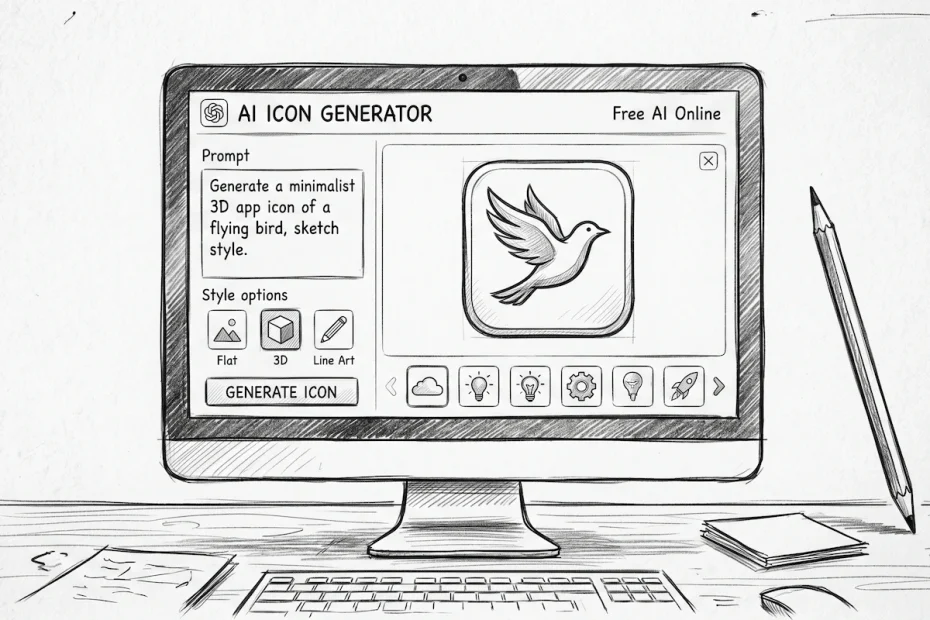
This is where the artificial intelligence revolution comes in. With our platform Free AI Online, we provide a powerful AI icon generator free of charge, transforming your text-based ideas into high-precision graphics. Gone are the days when you needed to master complex software like Illustrator or Figma just to create a simple pictogram.
Try our free AI image generators here now.
Why AI has become the modern designer’s must-have tool
Artificial intelligence doesn’t just “draw”; it understands concepts. When you use a free icon generator, you aren’t just saving time—you are gaining consistency.
One of the biggest challenges in design is maintaining visual harmony. If you need ten icons for a navigation menu, it is crucial that they share the same line weight, color palette, and lighting. On Free AI Online, you simply define a style in your first prompt and apply it to all your subsequent creations. This flexibility makes AI a powerhouse for both creatives and developers.
Related: Best free Midjourney alternative: Create unlimited AI images
How to turn words into icons on Free AI Online
The magic of our platform lies in its simplicity. Unlike other tools that require endless technical tweaking, everything happens through a natural language interface.
To generate an icon, you only need to describe what you have in mind. If you want a calendar icon, don’t just say “calendar.” Be specific: ask for a “calendar in 3D isometric style, pastel colors, soft lighting, white background.” In seconds, the AI interprets these nuances to deliver a unique result.
Our engine is trained on millions of visual references, allowing it to understand specific UI (User Interface) codes. It knows exactly what makes an effective “shopping cart” icon or an intuitive “share” button.
Concrete examples to boost your creativity
The possibilities are literally infinite. Here are some popular use cases you can explore today on our site:
- Flat design icons for web: Perfect for a clean and modern interface. You can request minimalist pictograms for your “Contact,” “About Us,” or “Services” sections. The output will be sharp, professional, and easy to integrate.
- Gaming and fantasy icons: If you are building a video game or a custom Discord interface, ask for “medieval shield in brushed metal” or “glowing magic potion.” The AI excels at rendering textures like wood, metal, or glass.
- Minimalist brand logos: Sometimes, a single icon is enough to represent a brand. You can generate abstract logo concepts by requesting interlocking geometric shapes or stylized symbols.
- Custom social media icons: Tired of standard Instagram or Facebook logos? Create custom versions that fit your site’s specific aesthetic, for example, social icons in a neon style or a paper-cut effect.
Professional quality without the price tag
The word “Free” in our name isn’t just a marketing hook. At Free AI Online, we believe that access to cutting-edge creative tools should be democratized. Too often, AI generation tools impose restrictive credit systems or expensive subscriptions the moment you want to download your work.
Our AI icon generator free allows you to experiment, make mistakes, and try again until you get the perfect icon, without ever worrying about your budget. It is the ideal tool for students, freelancers launching their business, or large companies looking to rapidly prototype ideas without mobilizing an entire design department.
Related: Discover the new image creation tools on Free Ai Online
Pro tips for stunning results
To get the most out of our platform, keep these tips in mind when writing your prompts:
- Specify the background: For an icon that is easy to use, always add “isolated on white background.” This makes it simple to remove the background later for perfect transparency.
- Define the perspective: State whether you want a front view (2D), a top-down view, or an isometric view (3D).
- Play with materials: Don’t hesitate to ask for specific material effects like “matte plastic,” “shiny chrome,” or even “frosted glass” (the trendy glassmorphism effect).
In short, whether you need a single image to illustrate an article or a full icon pack for a new application, Free AI Online is your go-to destination. Simple, fast, and totally free, our AI icon generator pushes the boundaries of what you can achieve on your own.
Ready to bring your ideas to life? Head over to our generation tool and create your first icon right now!